Your apps now have a guard.

Meet Gardi. He takes doomscrolling personally.

Download on the App Store

Free to start · iPhone and iPad · No account

Lock apps. Take calm breaks.

Take back your attention, without fighting your phone.

ScreenGuard locks the apps that pull you in, gives you short, mindful breaks when you need them, and shows you how much time you're winning back.

  • Always on
  • Timed
  • Scheduled
  • Daily time limit

Locks

He never leaves his post.

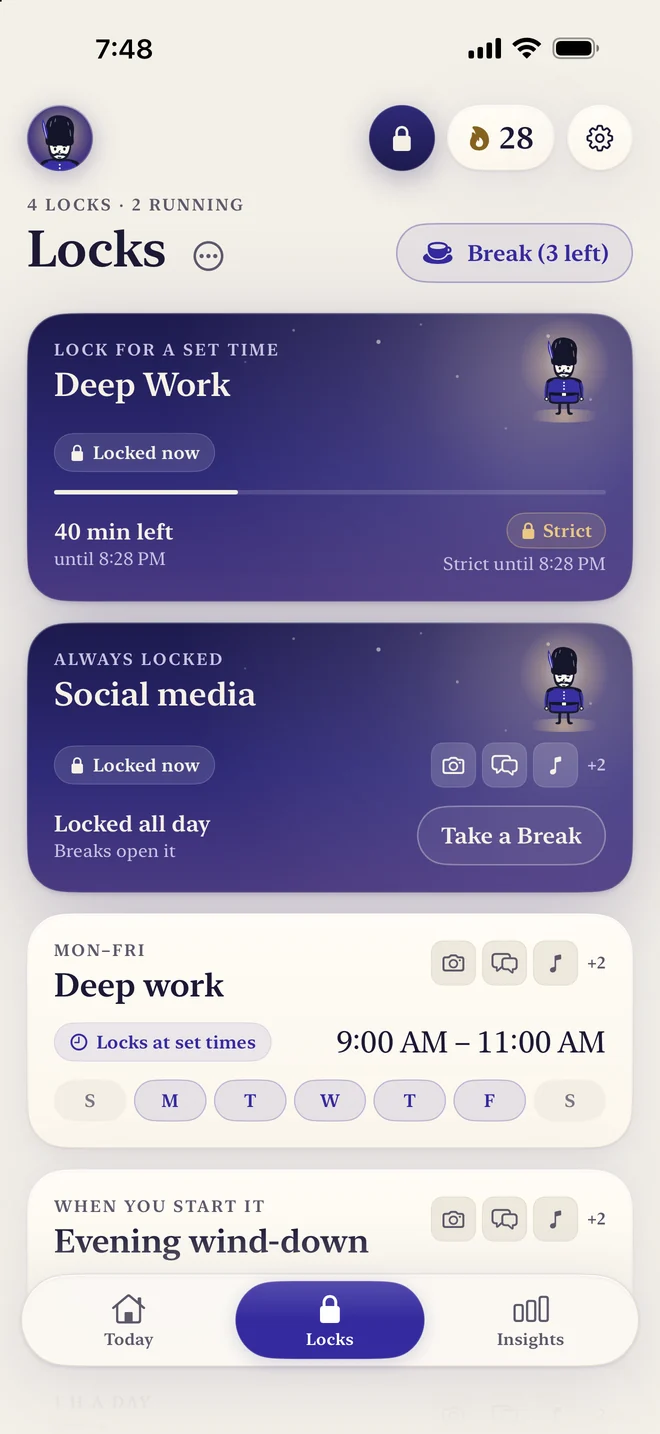
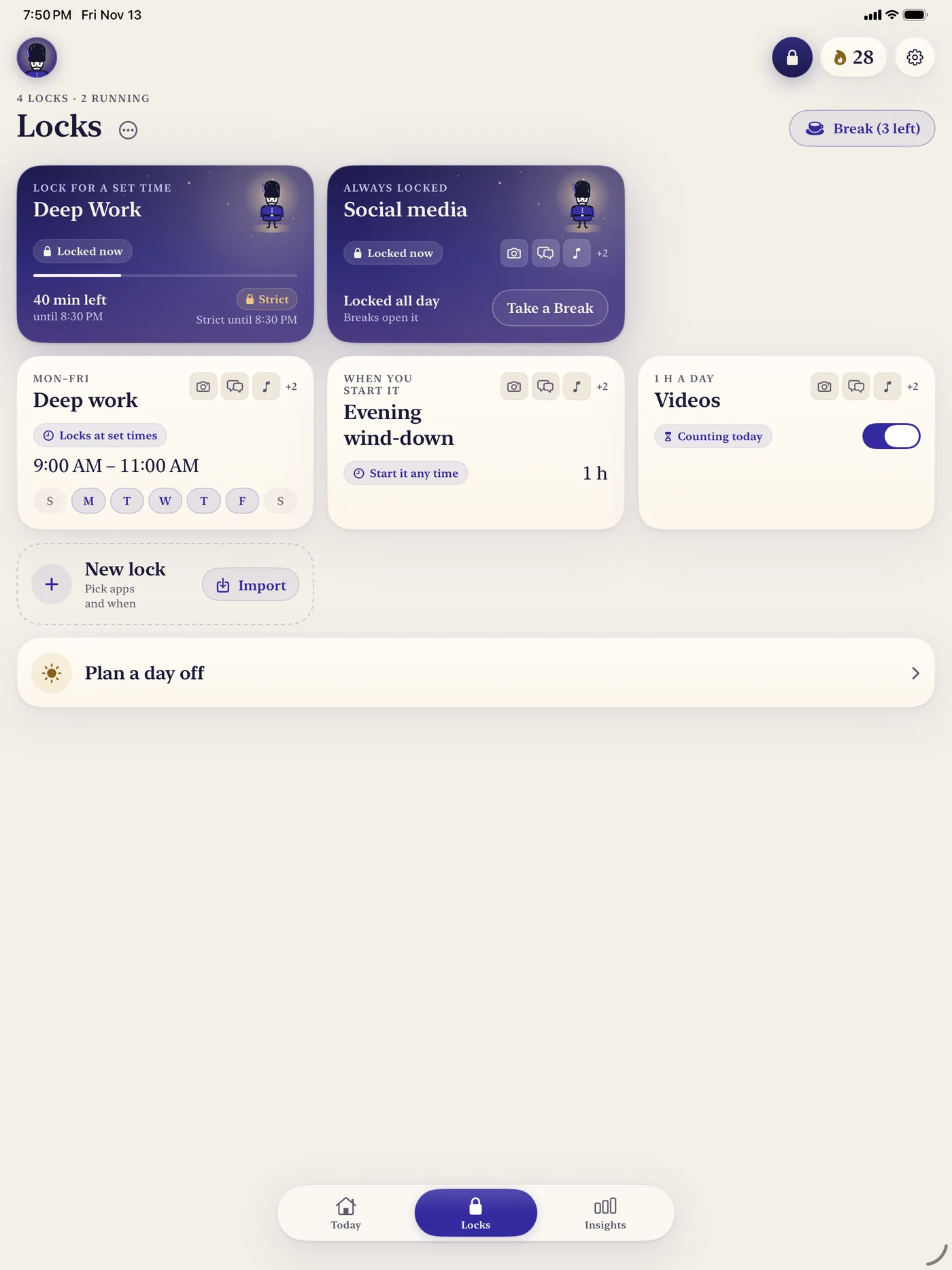
All day, for an hour, or on a schedule. A lock is a group of apps and when they're locked: for a set time, all the time, or with one shared daily time limit.

  • Strict mode (Pro): a lock you can't end early, pause or weaken until it ends by itself.
  • Pomodoro rounds for deep work with planned breaks.
  • Days off and holidays pause your locks, without breaking your streak.
The Locks page with a running Deep Work lock, an always-on Social media lock and scheduled locks

Today

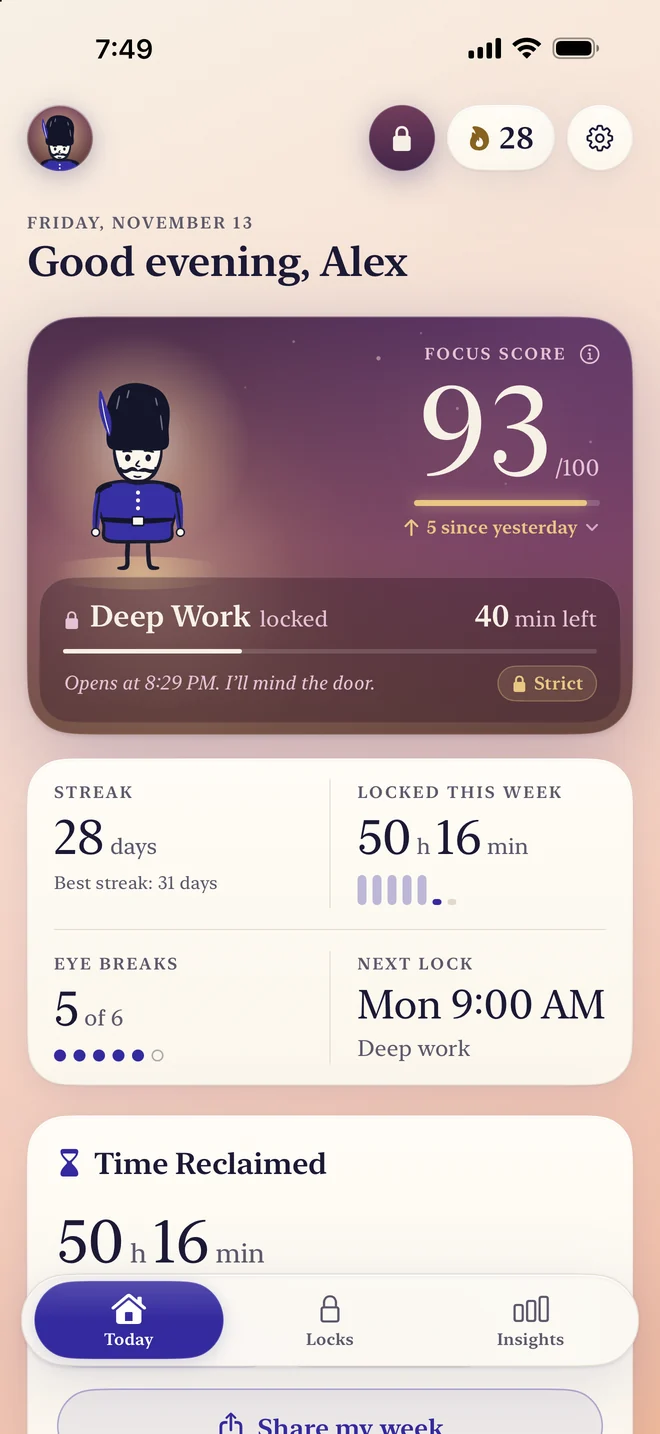
Earn his salute.

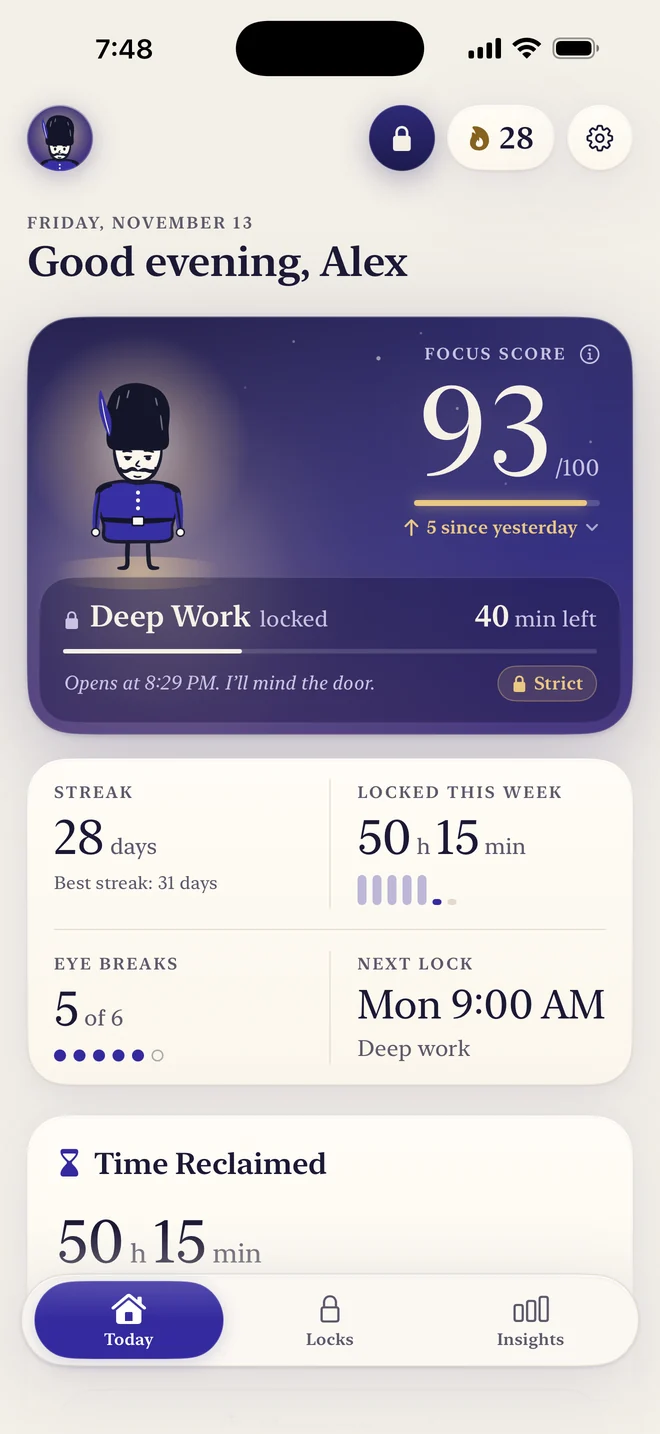
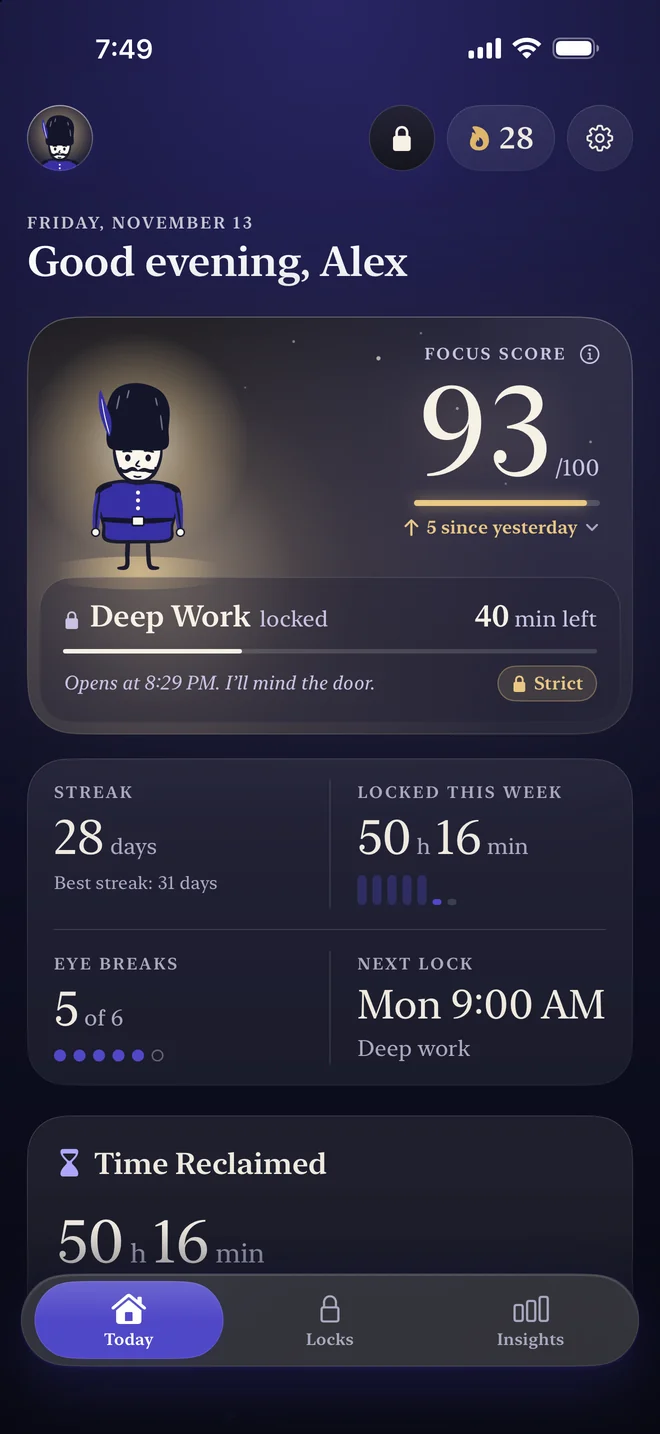
A daily Focus Score explained with clear charts, plus a streak that rewards consistency. Time Reclaimed shows how much Focus you gained this week, ready to share.

The Today page with a Focus Score, a streak and Time Reclaimed

The locked-app screen

Sorry, it's closed.

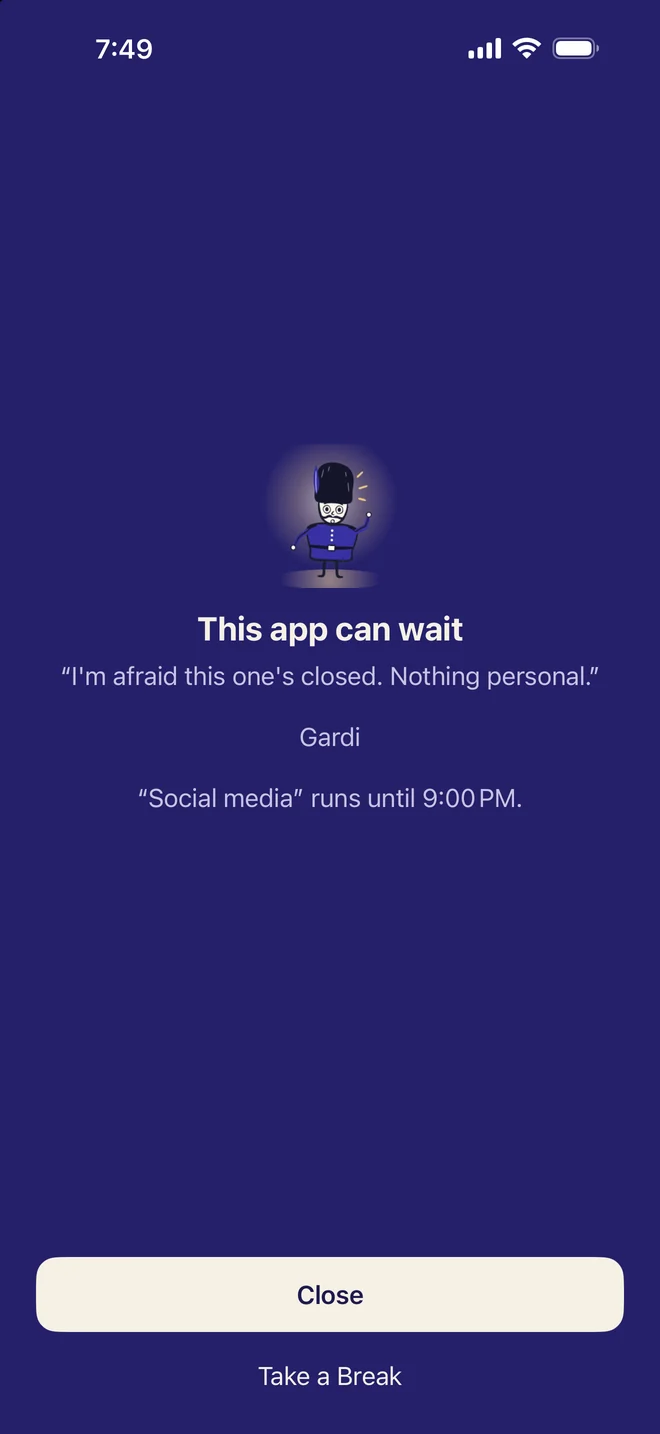
Open a locked app and Gardi is there, politely. Open it again and again? Each try adds a longer pause.

The locked-app screen: This app can wait

Breaks

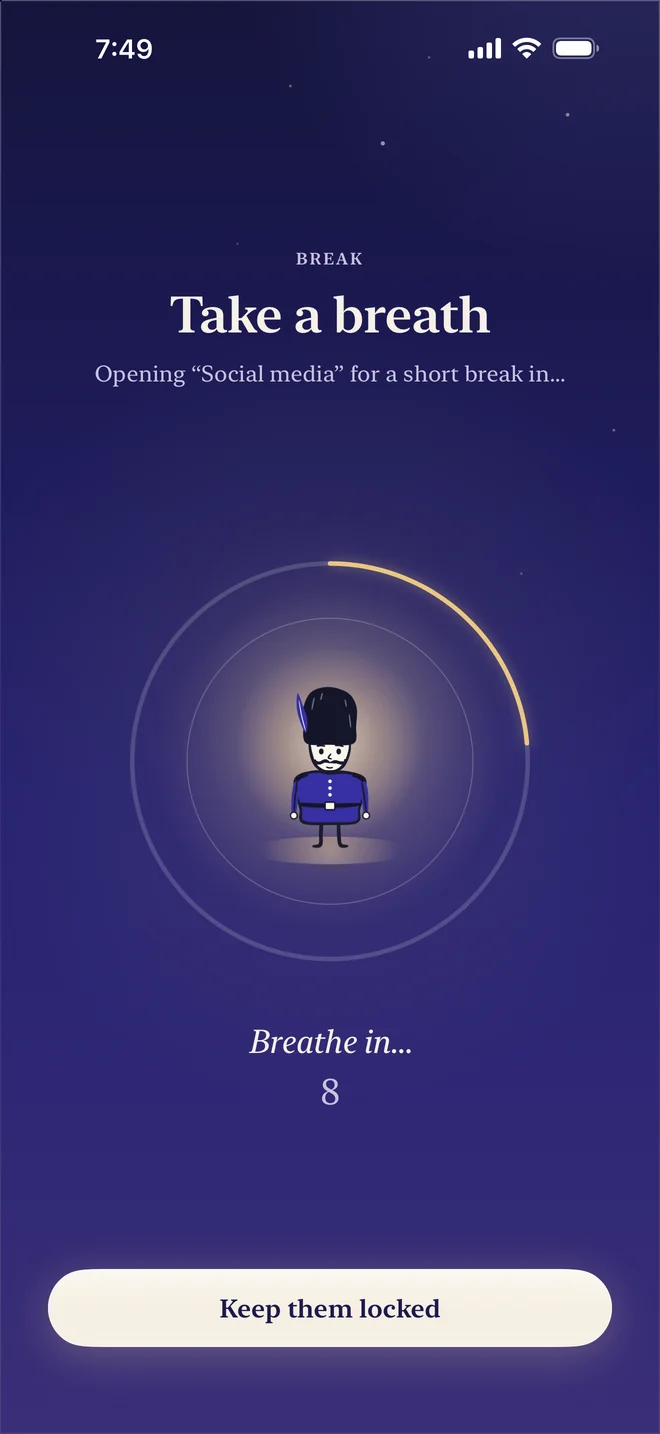
Really need it? Breathe first.

Take a short Break after a 10-second breathing pause, right from the locked-app screen. Then your apps lock again by themselves.

  • A daily number of Breaks keeps “just one more” in check.
  • Earn a few minutes with push-ups, counted live by your camera.
The breathing pause before a Break

Insights

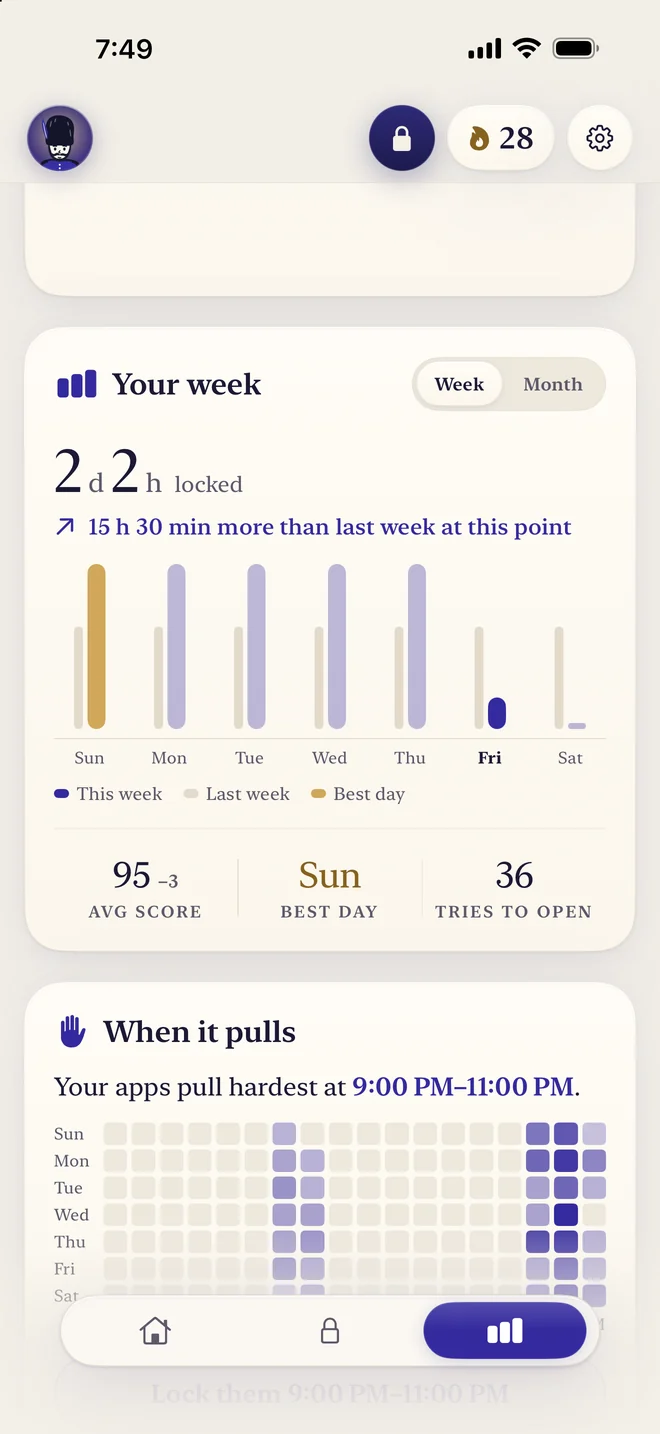
He knows your weak hours.

Your week, the hours that pull hardest, and a lock for them in one tap. Your coach note looks at your own history and ends with one suggestion you can act on in the app.

Insights: your week and a heat map of when your apps pull hardest

On duty, even off screen.

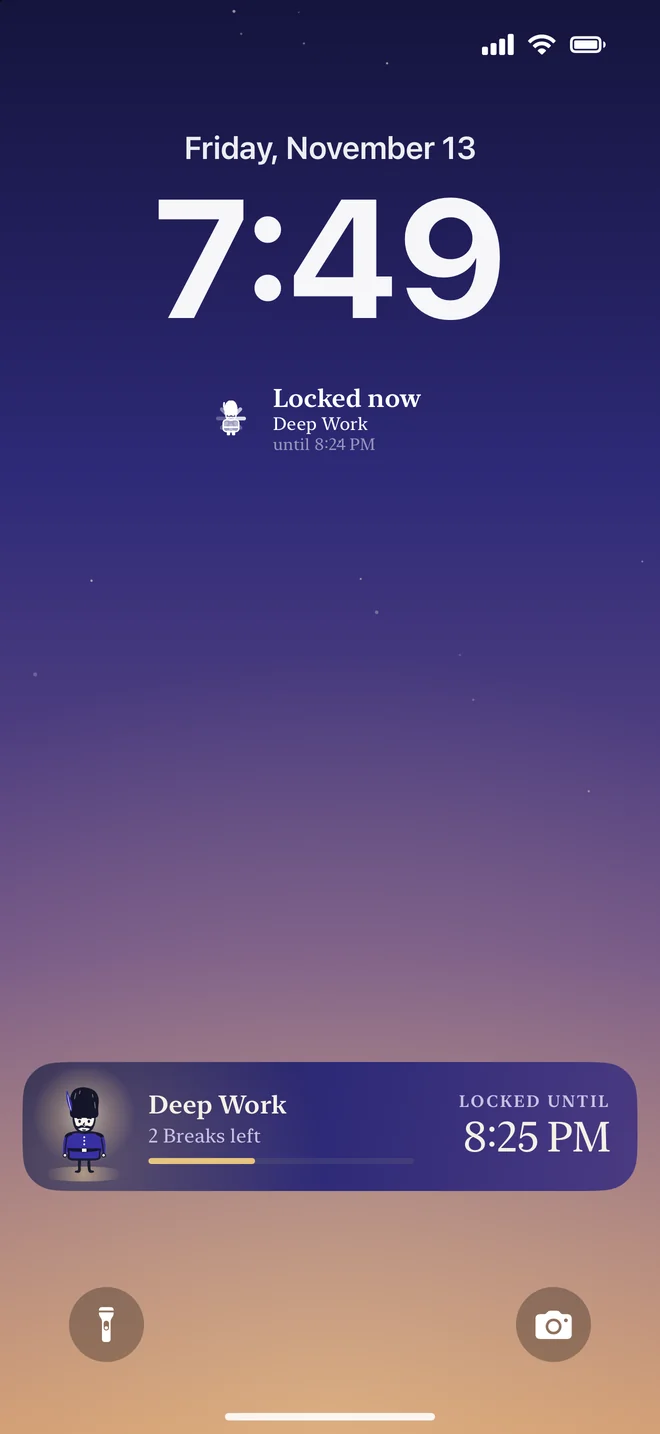
Lock Screen, Dynamic Island and widgets. A quiet ring, never a ticking clock.

  • Live Activity and Dynamic Island show your lock at a glance.
  • Home Screen and Lock Screen widgets, large and extra large on iPad.
  • A Control Center button and Siri: “Start Focus in ScreenGuard”.
  • Link ScreenGuard to your Focus modes: when Sleep or Work turns on, your apps are locked.

Calm by design

Dress the part.

Warm paper, serif type and a dusk sky, with Gardi drawn live in ink. Themes color the app, your widgets, the Live Activity and the locked-app screen. Pick one of four app icons.

iPhone and iPad

One guard, every door.

Using an iPad too? Turn on iCloud sync and your locks and days off appear on all your devices, apps included.

  • On iPad: Today and Insights in two columns, your locks in a grid.
  • Share locks with friends by AirDrop or Messages: they get the times and settings and pick their own apps.
  • In English, German, French and Italian.
ScreenGuard on iPad with locks in a grid

Private by design

Discreet, as guards are.

  • No tracking
  • No account
  • No ads

Built on Apple's Screen Time

ScreenGuard uses Apple's Screen Time framework. Apple only gives the app anonymous tokens for the apps you choose; the developer cannot see which apps you chose or how you use them.

No ScreenGuard server

No account, no tracking, no ads, no ScreenGuard server. Your data stays on your devices. Insights and your coach note are worked out on your device, from your own history.

iCloud sync is your choice

Off by default. If you turn it on, your locks and days off are kept in your own iCloud so they appear on your other devices. Your history, Focus Score and streaks are not synced.

Read the full privacy policy

ScreenGuard Pro

Free to start. Pro when you're ready.

Free

The essentials, for as long as you like.

  • 1 lock, at set times or all the time
  • 1 daily time limit
  • Breaks with a breathing pause
  • Focus Score and streak

Pro 1 week free for new subscribers

Monthly or yearly, or a one-time lifetime purchase.

  • Unlimited locks, lock times and daily time limits
  • Strict mode
  • All insights and the weekly report
  • All themes and app icons, and more
Download on the App Store

Free includes 1 lock (at set times or all the time) and 1 daily time limit. Pro unlocks unlimited locks, lock times and daily time limits, Strict mode, all insights and the weekly report, all themes and app icons, and more. Choose monthly or yearly (new subscribers start with a 1-week free trial), or a one-time lifetime purchase. Subscriptions renew automatically unless cancelled at least 24 hours before the end of the period; manage them in your Apple Account settings. Prices are shown in the App Store before you buy and vary by country. Purchases are handled by Apple. Terms of Use · Privacy Policy

Good questions.

Why does ScreenGuard need Screen Time access?

Blocking apps on iPhone is only possible through Apple's Screen Time framework. When you allow access, ScreenGuard can shield the apps you choose. See the privacy policy.

What is a lock?

A lock is a group of apps and when they're locked. There are three kinds: for a set time (now, or automatically at set times), all the time (with short Breaks when you need one, and optional free times like lunch), and a daily time limit (one shared amount of time a day for the group).

What is a Break?

A Break opens the apps of an always-on lock for a few minutes, after a short breathing pause, and locks them again automatically. You choose how many Breaks you get a day.

What does Strict mode do?

Strict mode (Pro) is for locks with an end time, up to 24 hours. A strict lock can't be ended early, paused, weakened or interrupted by a Break in the app until it ends by itself.

How do I cancel a subscription?

Settings › your name › Subscriptions › ScreenGuard Pro › Cancel Subscription. You keep Pro until the end of the period you paid for.

More answers on the support page, or write to support.screenguard@gmail.com.

Gardi, the royal guard

“I'll mind the door.”

Give your apps a guard.

Download on the App Store

Free to start · Requires iOS 26.2 or iPadOS 26.2 or later